Elevate Your Visual Design with Badges Doodle
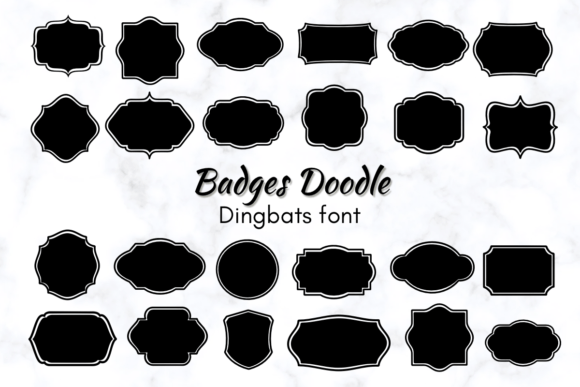
In the crowded landscape of digital and print communication, capturing attention requires more than just text; it demands visual flair and a touch of personality. This is where a resource like Badges Doodle becomes an invaluable asset for any designer's toolkit. This fun dingbat font transforms simple keystrokes into a delightful array of badge shapes, offering an effortless way to inject creativity and structure into your projects.
Understanding the Power of Dingbat Fonts
At its core, Badges Doodle is a typeface where each letter or number corresponds to a unique, hand-drawn badge icon. This approach leverages the universal compatibility and ease of use of typography, allowing designers to incorporate scalable vector graphics without leaving their text editing environment. Its playful, sketched aesthetic is perfectly suited for modern design trends that favor authenticity, texture, and human touch over sterile, overly polished graphics.
The practical value lies in its versatility. Unlike single-purpose icon sets, a dingbat font integrates directly into your design workflow. Whether you're working in Adobe Illustrator, Photoshop, Canva, or even Microsoft Word, you can access a full library of shapes simply by changing the font. This streamlines the process of adding decorative elements, saving valuable time in fast-paced creative projects.
Practical Applications Across Design Disciplines
The utility of Badges Doodle extends across numerous fields, enhancing both visual communication and brand identity. Its shapes can serve as containers for text, standalone decorative motifs, or functional UI elements. Consider how these playful icons can elevate the following:
- Branding and Logo Design: Create cohesive brand marks or secondary logo elements that feel approachable and unique.
- Marketing Materials: Highlight key features on flyers, brochures, or sales sheets to improve visual hierarchy and reader engagement.
- Social Media Graphics: Design eye-catching story highlights, post templates, or call-to-action buttons that stand out in a feed.
- Website and UI Design: Use badges as interactive elements for ratings, achievements, or category markers to enhance user experience (UX).
- Editorial and Packaging Design: Add whimsical annotations to magazines or craft charming product labels that tell a story.
Integrating Badges Doodle Effectively
To maximize the impact of any creative asset, thoughtful application is key. When using Badges Doodle, consider your project's overall color palette and style. The doodle aesthetic pairs well with casual, friendly, or vintage themes but can also provide a surprising contrast in more corporate settings when used sparingly.
Always maintain consistency in size and spacing to ensure a professional presentation. Treat the badges as you would any typographic element—mindful of alignment and proximity to other text or images. For digital marketing or web design, ensure the shapes remain crisp and legible at various screen resolutions. The font's vector nature ensures perfect scalability, making it equally effective for a small icon on a mobile UI or a large feature on a printed poster.
Ultimately, the goal of any design element is to serve the message. Badges Doodle offers a wonderful solution for designers, marketers, and creators seeking to add a layer of charm and clarity to their work. By selecting high-quality assets that align with your project's goals, you not only enhance the aesthetic appeal but also improve the effectiveness of your communication, creating more memorable and engaging experiences for your audience.